
Oct 27, 2021
Check out these great classes to up your skills for the classroom and for your office. Just an hour-long, these classes are packed with lots of information on new technology. Gmail: Advanced – Advanced Tips & Tricks to make you more organized &...
Oct 15, 2021
Join Alison Thornton for these one-hour Quick Bytes training sessions to up your skills on technology! All courses are offered via Zoom. The Zoom link will appear as a calendar appointment after you enroll. Google Forms – Google Forms can be applied in a...
Sep 23, 2021
Join Alison Thornton for these upcoming 1-hour training events. Easy Google Drive – Keep your files safe plus, access and share them from anywhere using the Cloud. Friday, October 1 from 1:00 – 2:00 PM Register Here Using Mail Merge for Emails using...
Sep 10, 2021
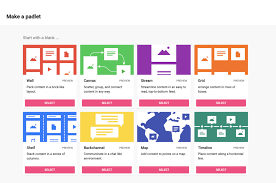
Upcoming Quick Bytes Training!! Padlet & Wakelet – Students can engage, reflect, and interact using these exciting new apps for organizing topics, images, links, and more! Thursday, September 16 from 3:30 – 4:30 PM Register Here Slack for All –...

Apr 21, 2021
Check out Genius Scan! It’s an easy-to-use scan to email or PDF application that is available on Android and iOS and is supported by the Technology Help Desk and the Student Success Center. Using the Genius Scan app on Android or iOS, you are able to take...

