Nov 7, 2016
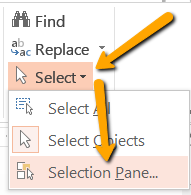
In a previous article, I talked about the importance of properly formatting documents and where to start. For this article, I want to apply that same knowledge from Word to PowerPoint. Tools used for formatting in one program can often times be found in others. In...
Oct 31, 2016
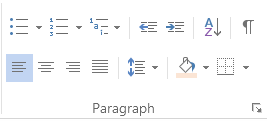
Before you work on your next document, take a moment and meet Paragraph and the tools it offers to help make things easier for you. No more using the spacebar for formatting! Bullets – Create a list of non-sequential items. Numbering – Create a list of sequential...

Oct 24, 2016
Did you know that the way you format your course materials can affect how accessible they are to your students? In this age of technology, students have a wide range of tools and apps available to them to access online content. More and more we see students using...

Oct 6, 2016
Fall is in the air and we are well into fall semester 2016. As of October 6th I have sent NMC faculty 318 Letters of Accommodation on behalf of students. Those emails are your official notification of the ADA required academic adjustments for the student mentioned. If...

Oct 3, 2016
Did you know that accessibility simply means removing barriers for all learners accessing online content? Because of the rise in the number of students accessing and completing coursework from their cell phones, tablets, and other tech, we need to be more aware of how...