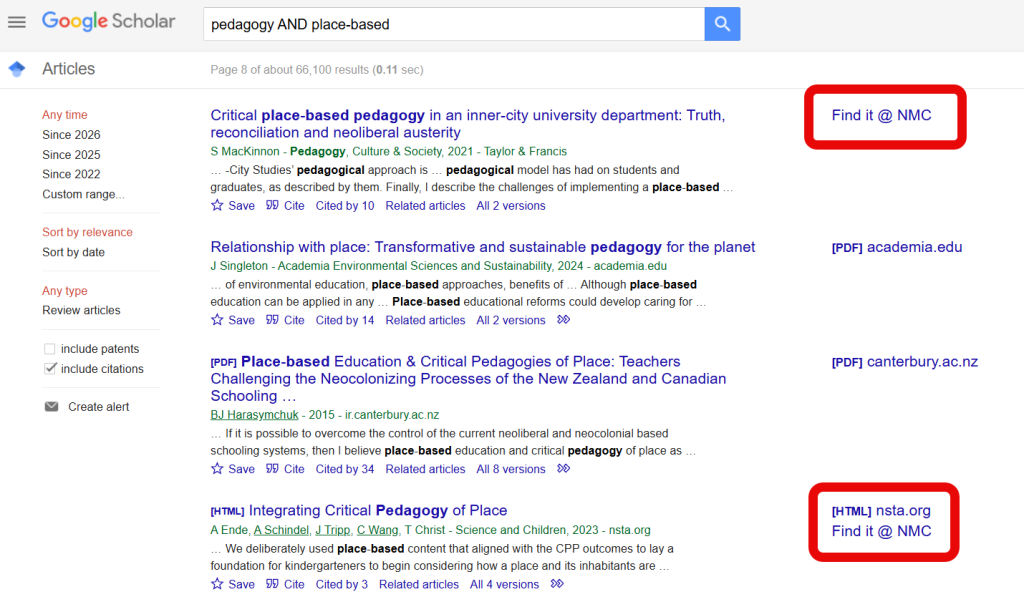
In the first ‘Beat the Paywall’ post, we focused mainly on journalistic publications, but we know many faculty instructors use Google Scholar alongside library databases to navigate scholarly journals in their disciplines.
Some articles have linked full text available directly from Google Scholar search results (usually open access journals and author-uploaded preprints). However, many articles that are indexed in Google Scholar only have abstracts, and link out to paywalled publisher pages for the full text.
The good news is that the library subscribes to thousands of journals through database subscriptions with EBSCO, JSTOR, Gale, Elsevier (ScienceDirect), Ovid, TDS Health, and others.
The even better news is that you can link your NMC Library access to Google Scholar so that any article you find in Google Scholar results that the library has access to will include a ‘Find it @ NMC’ link.
This post will walk you through the simple steps you can take to make this connection between Google Scholar and NMC Library.
Setting Up Library Links in Google Scholar
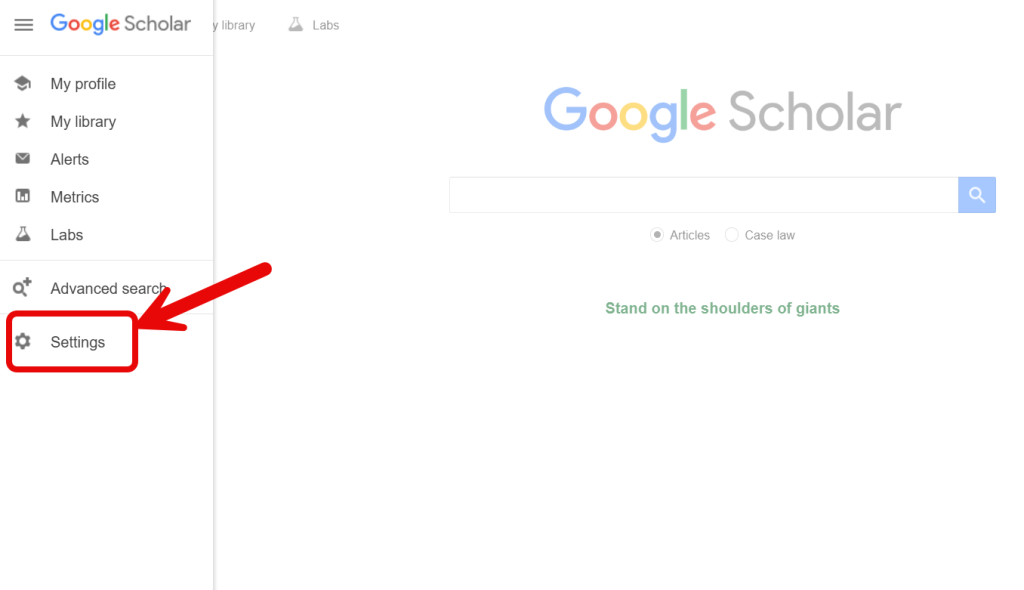
- Click the three-line ‘hamburger’ (or ‘pancake stack’ if that’s more your style) menu in the upper left of the Google Scholar homepage and then click the Settings gear at the bottom of the menu.
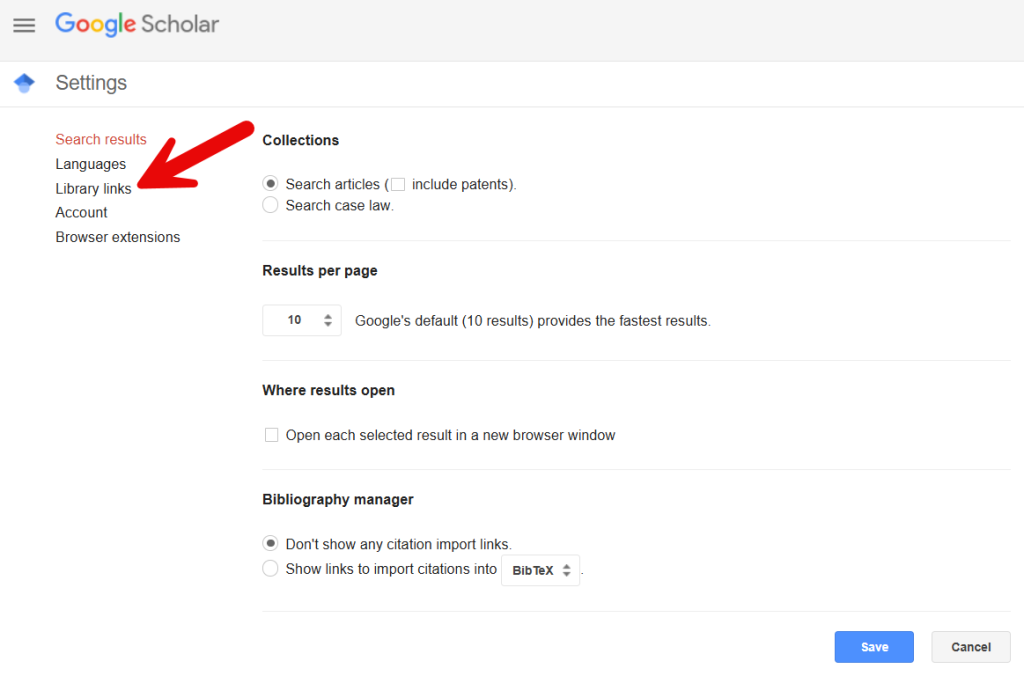
- Next, click Library Links in the lefthand settings menu.
- Search for ‘Northwestern Michigan College‘ in the library search bar, then click the checkbox next to the matching result.
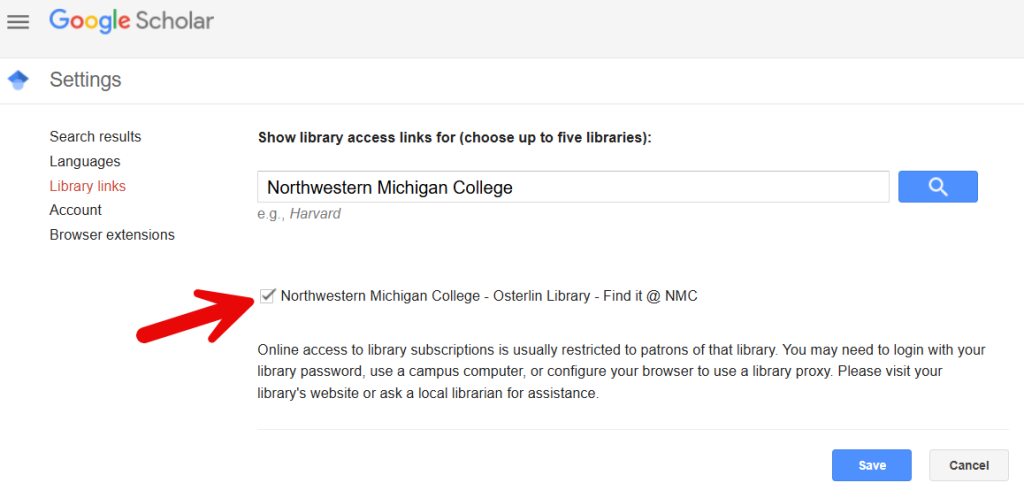
- Click Save
Congratulations, you have now designated NMC Library in your Google Scholar Library Links!
Now, when you search Google Scholar and your search results are available through NMC Library, you will see a ‘Find it @ NMC’ option in the righthand column of your results page.