

CTL Logo

Center for Teaching and Learning

NMC Tree Logo
  • Home
  • CIE
        • About
          • CIE Handbook

        • Meet the board members and learn about CIE.

        • Programs
          • New Faculty Institute
          • Friday Forum
          • Coffee Club
          • Professional Development Days
        • Professional Development Funding
          • Faculty PD Request FY 26 (ending 6/30/26)
          • Faculty PD Request FY 27 (starting 7/1/2026)
          • Reimbursement Travel Voucher
          • Request for PD Payment Under $500
          • PD Policies and Procedures
        • Conferences & Webinars

        • Find information on recommended conferences and webinars.

  • Professional Development
    • Faculty PD Request
    • Reimbursement Travel Voucher
    • Request for PD Payment Under $500
    • PD Policies and Procedures
  • Educational Technology
        • About

        • Meet the team and learn about the services Ed Tech offers.

        • Programs
          • Teaching Solutions
          • Online Course Review Cohort
          • New Course Development
        • Copyright
        • What's Fresh

        • Read the latest blog posts from Ed Tech.

  • Online Teaching
    • Teaching Solutions
    • Online Course Review Cohort
    • New Course Development
  • Teaching Practices
    • A-Z Teaching Resources List
    • Academic Integrity FAQ
    • Accessible Course Design
    • Advising Training Videos
    • Copyright for Instructors
    • Department of Student Success
    • ePortfolio
    • Experiential Learning
    • General Ed Outcomes (GEOs)
    • Generative Artificial Intelligence
    • Getting Started
    • OER
    • Online Teaching Resources
    • Student Learning Outcomes (SLOs)
  • Generative AI
  • Knowledgebase
    • Faculty Knowledgebase
    • Canvas Corners
    • Student Knowledgebase

CIE Posts

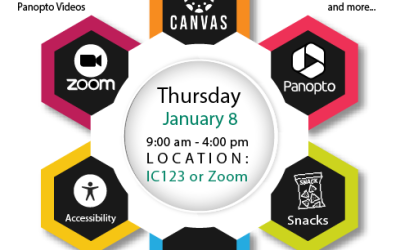
Join Ed Tech for Canvas Day Camp, Thursday January 8!

Join Ed Tech for Canvas Day Camp, Thursday January 8!

by Ben Post | Jan 5, 2026 | Ed Tech - What's Fresh?, Faculty & CIE, General, newsletter

Do you need to cross-list Canvas course sections for spring? Confused about the process for adding Gen Ed outcomes to your course? Have an old Moodle course you need imported into Canvas? Want to learn about secure online testing with Respondus? Wondering about best...
Canvas Corner Season 2, Volume 10: Introducing Respondus Test Monitoring for Canvas

Canvas Corner Season 2, Volume 10: Introducing Respondus Test Monitoring for Canvas

by Ben Post | Dec 10, 2025 | Canvas Corners, Faculty & CIE, General, newsletter

Starting in January, the Respondus LockDown Browser and Monitor services will be available to instructors within Canvas. Respondus is a widely used test-security tool that is trusted by more than 2,000 educational institutions worldwide and it’s now available in every...
Canvas Corner Volume 9 (Season 2): How Instructors and Students View the Canvas Gradebook

Canvas Corner Volume 9 (Season 2): How Instructors and Students View the Canvas Gradebook

by Ben Post | Nov 20, 2025 | Canvas Corners, Faculty & CIE, General, newsletter

The Canvas Grades page serves very different purposes for instructors and students (of course). Instructors need the ability to create assignments, organize and weight categories, and assess work with meaningful feedback. Students, on the other hand, need a...
Canvas Corner Volume 8 (Season 2): Creating Complete/Incomplete Assignments

Canvas Corner Volume 8 (Season 2): Creating Complete/Incomplete Assignments

by Ben Post | Nov 4, 2025 | Canvas Corners, Faculty & CIE, General, newsletter

Creating assignments in Canvas is straightforward, but even within its simplified workflow, there are some “easy to miss” features that instructors may find useful. Today, we’re highlighting the “Grade Display” setting called “Complete/Incomplete.” When you select...
Canvas Corner Volume 7 (Season 2): The Gradebook from a Student View

Canvas Corner Volume 7 (Season 2): The Gradebook from a Student View

by Ben Post | Oct 30, 2025 | Canvas Corners, Faculty & CIE, General, newsletter

Have you ever looked at the Canvas Grades page from a student’s perspective? It’s quite different from what instructors see, which makes sense. Instructors need to assess and enter grades, while students need to view their feedback, scores, and course totals. When...
Canvas Corner Volume 6 (Season 2): Messaging in Canvas: How the Inbox Works

Canvas Corner Volume 6 (Season 2): Messaging in Canvas: How the Inbox Works

by Ben Post | Oct 27, 2025 | Canvas Corners, Faculty & CIE, General, newsletter

The best way to think of Canvas’s Inbox feature is that it’s Canvas’s version of email. From the Inbox section, you can see messages sent to you by students, message whole courses or individual students, and reply to student inquiries. Because it is tied to your...
Canvas Corner Volume 5 (Season 2): Understanding the “Assign To…” Feature

Canvas Corner Volume 5 (Season 2): Understanding the “Assign To…” Feature

by Ben Post | Oct 8, 2025 | Canvas Corners, Faculty & CIE, General, newsletter

Canvas activities offer a wide range of features that help students and instructors manage their responsibilities, but one of the most useful is the “Assign To” function. This tool allows instructors to adjust access and due dates for different sections, groups, or...
Canvas Corner Volume 4 (Season 2): Creating a Video Submission Assignment

Canvas Corner Volume 4 (Season 2): Creating a Video Submission Assignment

by Ben Post | Sep 25, 2025 | Canvas Corners, Faculty & CIE, General, newsletter

Video assignment submissions can be a great alternative to classic essay or quiz assessments, promoting authenticity and demonstrating real mastery while also reducing the chances of academic dishonesty. In Canvas, there are two good and fairly easy-to-use tools for...
Canvas Corner Season 2, Volume 3: Organizing Your Course Navigation Sidebar

Canvas Corner Season 2, Volume 3: Organizing Your Course Navigation Sidebar

by Ben Post | Sep 16, 2025 | Canvas Corners, Faculty & CIE, General, newsletter

One of the powerful things about Canvas is that there are many ways for instructors and students to create and navigate course content. For example, assignments can be created from the Assignments list page or directly within a module. Students, likewise, can access...
Canvas Corner Season 2, Volume 2:  Creating a Canvas Gradebook (from Scratch!)

Canvas Corner Season 2, Volume 2: Creating a Canvas Gradebook (from Scratch!)

by Ben Post | Sep 11, 2025 | Canvas Corners, Faculty & CIE, General, newsletter

  Did you take a look at your Canvas shell after migrating your Moodle content to find a shockingly blank gradebook? Do use weighted grade categories but have no idea how to enable that in Canvas? Are you confused about where assignments are created and where...

« Older Entries
Next Entries »

© 2026 Northwestern Michigan College
www.nmc.edu

Spring Grades are Due

Day(s)

:

Hour(s)

:

Minute(s)

:

Second(s)

Blogin