Dec 8, 2016
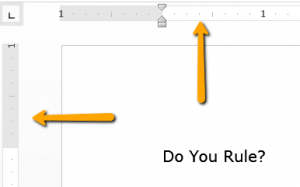
Do you use your Ruler bars in Word? Did you know they can be an easy way to adjust formatting? To make the rulers visible, click View, then select Ruler. You will see a ruler at the top and to the left side of your page. From these rulers you can adjust margins,...

Nov 14, 2016
November is Epilepsy Awareness Month and because that diagnosis applies to several in our NMC community I thought a bit of information would be in order. Did you know: Epilepsy is a disorder of the central nervous system which can cause seizures* 1 in 26 Americans...
Nov 14, 2016
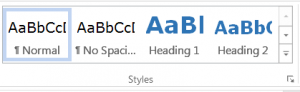
You’ve probably heard us talking a lot about Headings and creating structure in your documents and how important that is. Not only are headings great design practice, they can help in removing potential navigational barriers for students. It’s a great step in...
Nov 7, 2016
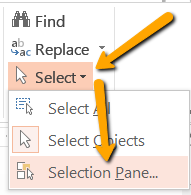
In a previous article, I talked about the importance of properly formatting documents and where to start. For this article, I want to apply that same knowledge from Word to PowerPoint. Tools used for formatting in one program can often times be found in others. In...
Oct 31, 2016
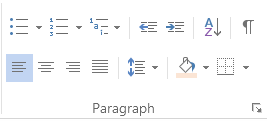
Before you work on your next document, take a moment and meet Paragraph and the tools it offers to help make things easier for you. No more using the spacebar for formatting! Bullets – Create a list of non-sequential items. Numbering – Create a list of sequential...

