
Sep 20, 2013
Beginning next week, the Education Media Technologies department will have on-site “office hours” in three different buildings around NMC. It will be like Festivus! Each week a EMT staff member will be on hand for a two hour period to help answer any questions...
Sep 19, 2013
Service learning integrating meaningful community service with instruction and reflection is on the rise. NMC now provides support through Outreach Services, coordinated by Nicholeen Frusti. As a beginning step in growing our existing service learning efforts, such...
Sep 19, 2013
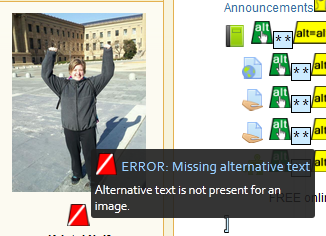
Here’s how you can check your eLearning (Moodle) course for accessibility using the WAVE add-on for Mozilla Firefox. In Mozilla Firefox: Select Tools. Select Add-ons. Select Search – Available Add-ons. Search for WAVE Toolbar. * Select see all ### results...
Sep 19, 2013
Make that several nights, events, and great programming, FREE for NMC students at the Dennos Museum Center. Check out what’s happening this Fall: THURSDAYS @ The Dennos Museum Center 1st Thursday of the Month: FREE to all. See new documentaries from the...

Sep 18, 2013
Great news! The Student Success Center is continuing the Early Alert Referral Pilot that we began over the Summer. Many students can benefit from early intervention with student services. Classroom instructors and student services staff are on the front lines of...

