General Articles

Spring Into Spring with New Tech Tools!

Spring Into Spring with New Tech Tools!

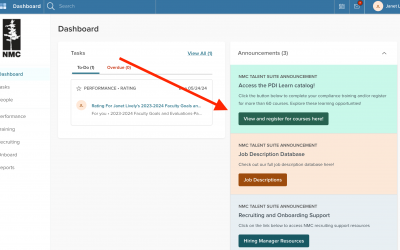
Spring 2024 Quick Bytes Course Schedule - Featuring Canva New Features, Google Forms and Form Approval, and Adobe Sign for Allocations. To register via NEOED Learn, please follow these instructions: NeoEd Learn - Registering for Courses Instructions - for Quick Bytes...

read more
Did A.I. Just Kill the Summary Assignment?

Did A.I. Just Kill the Summary Assignment?

Interesting question! What do you think? Drop by on Tuesday from 11-1 for an informal discussion of Generative A.I. and what it means for teaching and learning. Ed Tech, CIE, and the NMC Library invite you to join the latest session of our Drop-in Generative A.I....

read more
Friday Forum at the Museum March 1st

Friday Forum at the Museum March 1st

On March 1st, join Dennos staff in the Janis community room for museum updates while you enjoy your lunch. Following a brief presentation, Craig and Liz will provide a guided tour of the museum and answer any questions you have about bringing students for tours and...

read more
Advising Center: Did you know?

Advising Center: Did you know?

Did you know we have some important dates & upcoming events?! - The Transfer Guide page had a facelift! We will be going live with the new and improved site within the next week. Our hope is that you find it much more user friendly and up to date.  - The...

read more
Dear Sherry: Points for PowerPoint

Dear Sherry: Points for PowerPoint

Dear Sherry, I think I have a good handle on the basics of creating documents in Word and Google Docs, however, I still struggle with applying the same principles to PowerPoint. Do you have some easy points for me to consider on how to create better presentations?...

read more
Don’t Miss These Quick Bytes Classes!

Don’t Miss These Quick Bytes Classes!

Join us in February for these Quick Bytes classes! To register via NEOED Learn, please follow these instructions: NeoEd Learn - Registering for Courses Instructions - for Quick Bytes All courses are offered via Zoom.  Please ensure your camera is on during our session...

read more
Moodle Minute(s) S2, E17: Using Panopto in Moodle

Moodle Minute(s) S2, E17: Using Panopto in Moodle

This week’s Moodle Minute(s) explores how to use Panopto within Moodle. Basically, anywhere you see the Panopto icon or the Panopto block, you have access to the full capabilities of your Panopto account. Watch the video to learn more… ABOUT THIS SERIES:...

read more