


The End is Near: Video Distribution and VHS Technology
Effective June 30, 2014, Video Distribution and VHS technology will no longer be available. So What if I need to show a film in class? You can give us a call, stop in, or email mediarequests@nmc.edu and let us know which film you need and if you will be picking up the...

Going One Step Further for Our Students
NMC instructors are always going the extra mile for our students. Here is another opportunity to help our students think beyond NMC. In March, the Advising Center is hosting hosts two great community events: The Career and Employment Fair on March 6th, and the College...

Three time-saving procedures for reducing stress and increasing learning
Two adages come to mind at this time of year when wintry weather continues with cold and flu season following suit: Under stress, we regress. When it rains, it pours. Fortunately, there are some helpful routines we can establish in our classes that can increase...

Adding Items into your Gradebook
There are two ways you can add items into your gradebook: Directly into the gradebook by using the Add grade item button. Adding Activities to your course (graded activities form an automatic connection into the gradebook). Adding Grade Items These are items you add...
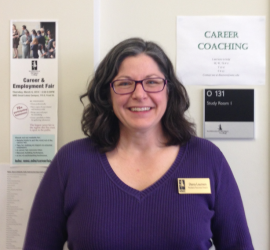
Student Success Center Has a New Resource
The Student Success Center now has a Career Coach available to assist NMC students and alumni who are seeking employment. Dana Laursen will assist clients in developing practical job-hunting skills that build on the career counseling services offered by the Advising...

Important Moodle Reminder:
We have experienced an increase in help desk tickets recently from users getting error messages when posting to forums or taking quizzes. We would like to share the following tips when using Moodle. Recommended Internet Browsers: Please remember that Mozilla Firefox...
Seven Controversial Questions about Introverts
A number of faculty have been interested in the intersection of Active Learning Classrooms and introvert/extrovert temperaments. The webinar, Helping Introverts Thrive in an Active Learning Classroom, explores this issue. Following are some questions that arose...

Sermons for Grumpy Campers
At the Friday Forum on February 7th, we heard from three different NMC instructors about their experiences teaching in active learning classrooms. Thank you to Diane Emling, Laura Jaquish, and Mary Lou Deutsch for sharing best practices and how they use(d) the...
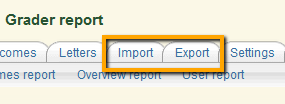
Moodle Tip: Excel to Gradebook
Did you know you can import and export information from your Moodle Gradebook into and from Excel? This can be a tricky process but with a few tips, you can set yourself up for success. Spend the time setting up your Moodle Gradebook Enter your categories and...
One Service Learning Project at a Time
This past fall semester, Tracy Russo and I had the pleasure of speaking with Kristy McDonald's BUS231 students about their Service Learning Project. This video captures the students' perspective about the project, and what it meant to them.