Accessibility Tips: Working With Documents Ten steps to creating accessible Word documents: 1. Use headings "A good heading structure is probably the most important consideration in most Word documents. Headings will allow screen reader users to navigate through the...
Faculty & CIE Articles
Ensemble Feature: See Jane and Joe Share, Copy, and Transfer
Here’s a look at how Jane and Joe can share, copy, and transfer a video between their Ensemble libraries. Sharing If Jane wants to share a video with Joe, she needs to ask Joe to give her the right to share with him. Once Joe sets up the share; Jane shares the video....
Tech Tips: Gradebook
Does your Gradebook have alignment issues? Are you interested in using a 4.0 scale in your Gradebook? Check out these great Gradebook tips. Getting your Grader report to line up: Are you trying to enter grades and your students names and grades are just a little off?...
Reading Strategies for Students
In order to bring more reading strategies to students, Megan Ward and I have created YouTube videos to assist you in using reading strategies with your texts. One, SQ3R, is a textbook strategy that is highly effective in helping students comprehend and retain the...
Cool Tool: Blackboard Collaborate
Did you know that NMC has seat licenses to use Blackboard Collaborate? Blackboard Collaborate, formerly known as Elluminate, is a web conferencing tool that allows you to meet with students live and online, share screens, and record the session. The following video...
A Closer Look at Moodle Updates and Changes
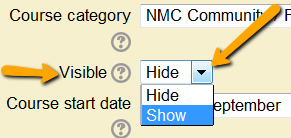
New features include expanded options on the Date Report and visual improvements in the Student view of the Gradebook. Slight changes include how you turn courses on, the location of the Reports, Editing tools, and selecting settings in Assignments. Let's take a...
Ladibug’s in the Classroom
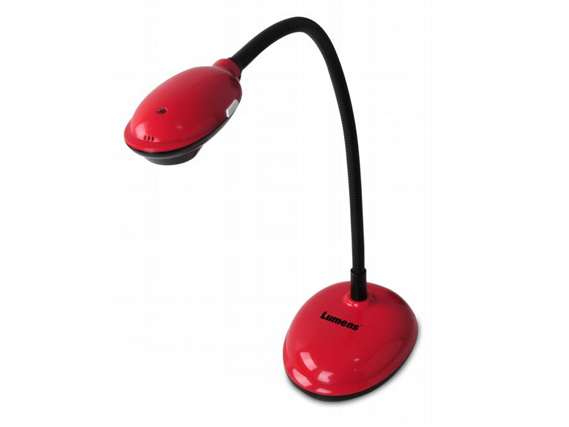
Meet the Ladibug DC120 document camera. The new doc cams operate through a computer. Turning the device on, adjusting the zoom, brightness, and focus will all be done through the Ladibug software on the classroom computer. Did you know that the Ladibug camera can do...
Keep Web Accessibility in Mind
What is Web Accessibility? "Web accessibility means that people with disabilities can use the Web. More specifically, Web accessibility means that people with disabilities can perceive, understand, navigate, and interact with the Web, and that they can contribute to...
Ideas worth sharing, but what is the lure?
All of us have blog ideas to share from our personal practice that would benefit others, yet choosing the relevant information to share can be as challenging as learning to fish. Fortunately, there are some guidelines to help writing edublog entries. Much like a...