

NMC Librarians Are Ready to Assist Your Classes
The librarians at NMC's Mark & Helen Osterlin Library can help your students develop their research skills. If you have an assignment that requires finding, evaluating, and incorporating information sources, librarians can visit your class or your class can visit...
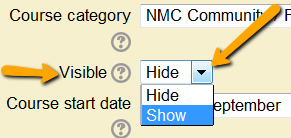
Tip: Turning Courses On
Turning your course on, or making it "visible", for students is a little different. Click on the link below for a quick tutorial on how to make your course "visible". Tutorial link for turning on your course, or see below.

There’s something new on classroom computers
It's Office 2013 BUT, don't panic, Office 2013 is compatible with Office 2010 documents, and they haven't moved things around like they did in previous upgrades! You can open and edit your PowerPoint presentations, Word documents, Excel files, and other Office 2010...

Copyright: Brushing Up
As you start preparing for the semester, please take a moment to consider Copyright and how it affects you, your course content, and students. To help you brush up, take a moment and review the following brochure, "Know your Copy Rights". Also check out our...
Variations on a theme as the crux of creativity
It's the start of the semester. Choices abound on how to be successful. Others give you advice, the web is full of advice, and you give yourself advice based on past experience. How do you or any instructor sort through all of the advice and stay true to their...

Two seconds can save a life
That may sound over-dramatic when referring to the first few seconds when our students arrive, but research says differently. According to Malcolm Gladwell’s Blink: The Power of Thinking Without Thinking (2005). “ ...this ability we have as humans, to quickly make...
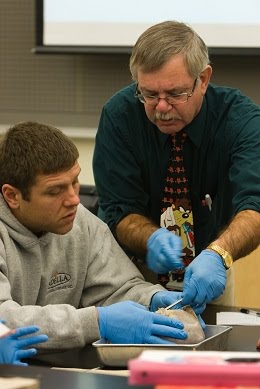
Clickers Are For Lovers (of learning)
From Keith Overbaugh, D.V.M. Science, Biology Instructor I’ve been using a classroom response system (clickers) so long I forgot where or when I was first introduced to them. The only reason I was drawn to this technology was that I had just realized that the two...
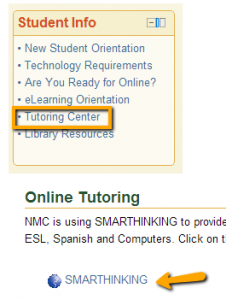
Introducing Smarthinking
Smarthinking is a free online tutoring service for NMC students. Students connect to educators for live, online tutoring up to 24 hours a day, 7 days a week, enabling students to get the help they need when they need it. Tutors do not solve the problems for students,...

New NMC Instructor Site: “teaching @ NMC”
A new, one-stop shop for all NMC instructors that includes teaching resources, educational technology, upcoming events, professional development, 21st Century teaching and learning practices, and more. Teaching @ NMC allows faculty...
Do you use video or lecture capture? If so, read on…
We have changed video playback systems: Flowplayer has retired! If you use video or lecture capture in your course(s) and have not heard about our transition away from the one used for several years, Flowplayer, then this message it for you! It’s true, Flowplayer has...